Sequence your synths
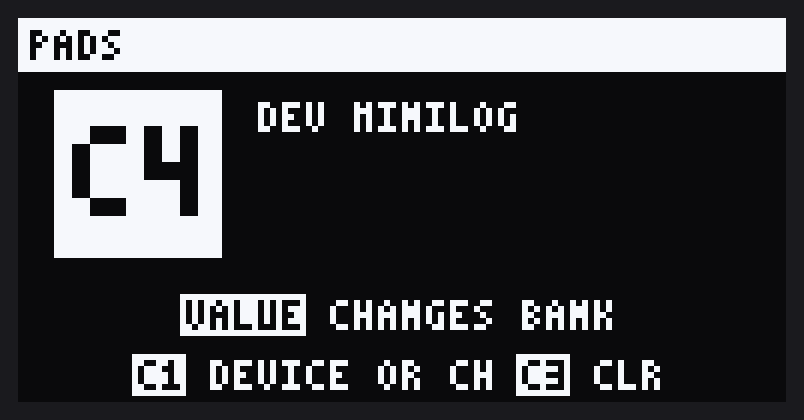
Every step of a pattern goes out as a MIDI note. Point pads at different synths and one pattern plays them all.
- Each pad on its own synth or channel
- Piano-roll pitches come with each step
- Notes follow the step's gate
Play, sequence and tweak your synths straight from the SP. Pads play notes, CTRL dials send CC, and patterns drive every synth on its own channel. No computer needed.
Free to use. For Roland firmware 5.52, with DOOM OS 0.6.2 built in.
DOOM OS turns the SP into a deeper sampler. MIDI Conductor turns it into the centre of your setup.
Every step of a pattern goes out as a MIDI note. Point pads at different synths and one pattern plays them all.
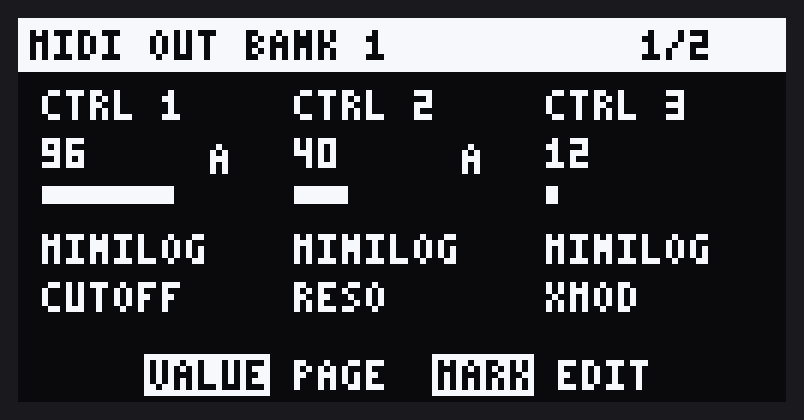
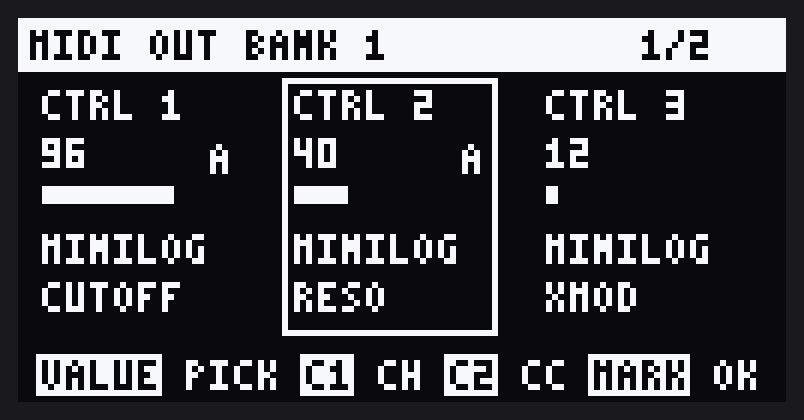
Turn on MIDI Controls and the CTRL dials send CC instead of moving the effect. Six banks of six, each dial set to any control on any synth.
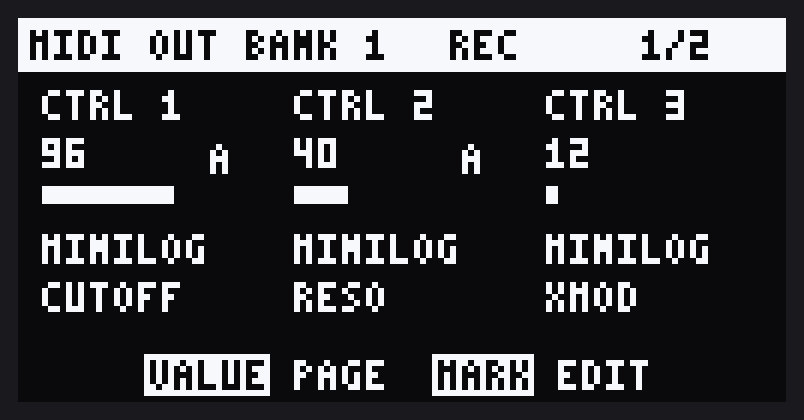
Sweep a filter while the pattern plays and it comes back on every loop. Each pattern keeps its own moves, saved on the SP.
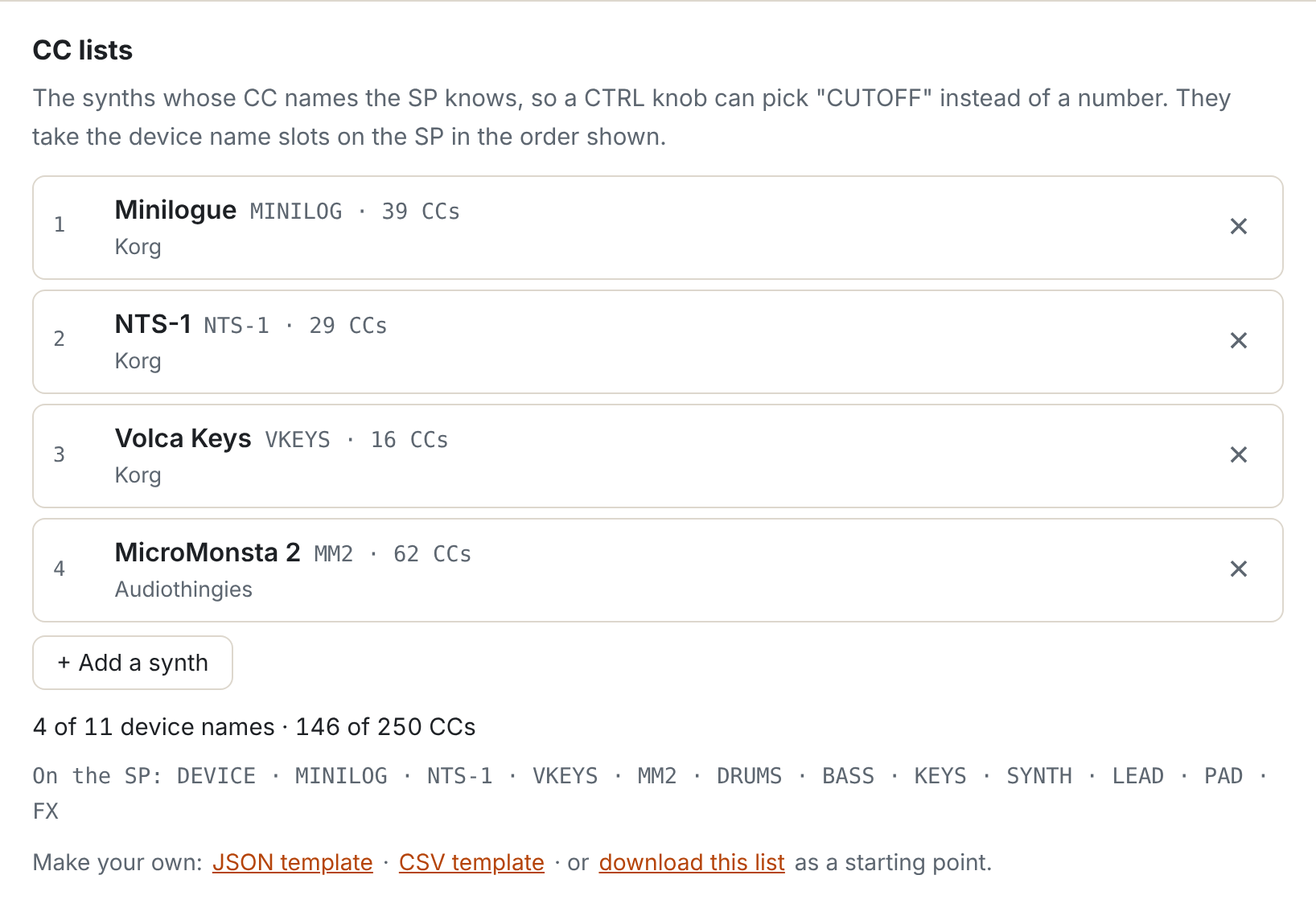
Choose your synths when you patch and the SP knows their controls by name. Pick CUTOFF, not CC 43.
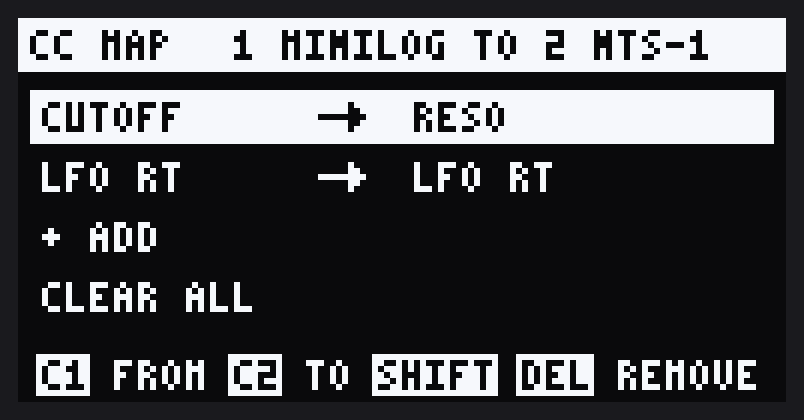
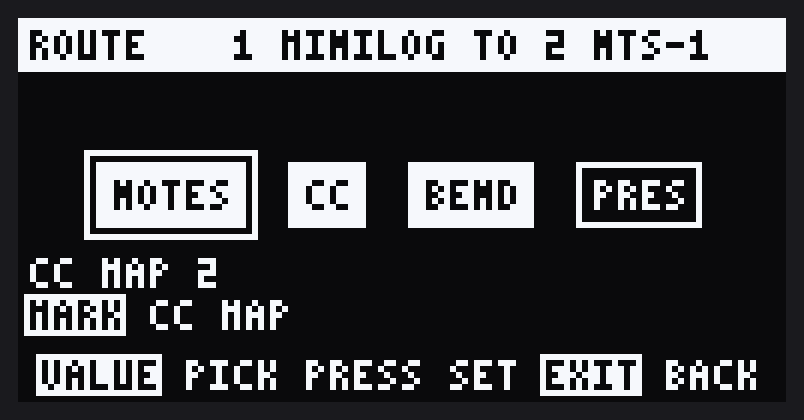
Play one synth's keys and another plays along. Map one synth's dials onto another's controls. The SP sits in the middle, so a single keyboard can drive the whole rig.
Route a keyboard to the SP and it plays the pad of the track DOOM OS is on, pitched like the SP's own keyboard. In record mode the notes are recorded too, with their pitch and velocity.
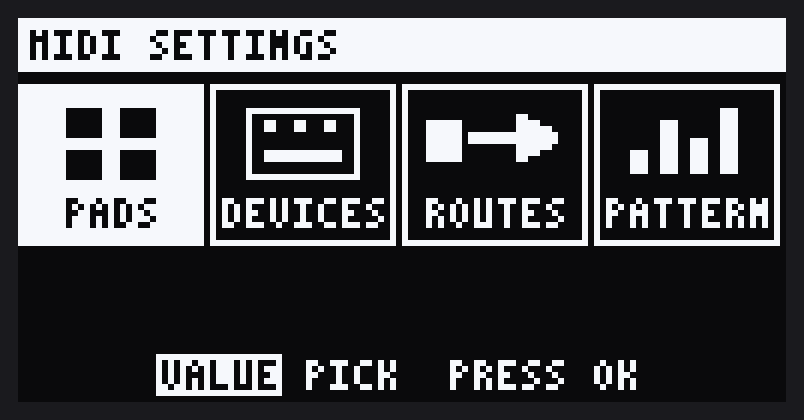
SHIFT + REMAIN opens MIDI SETTINGS: your synths, your pads, your routes. Every screen has a help line, and everything is saved.
From Roland's download to a synth playing from a pad.
Download the SP-404MKII system update 5.52 from Roland and unzip it.
Drop SP404MKII_APP1.bin on the patcher and pick your synths. Nothing is uploaded.
Install it with Roland's SP404MKII_APP0.bin, the same way as DOOM OS. DOOM OS is already inside.
The quick start puts a synth on a pad and a dial in five steps.
Experimental. Modified firmware can brick your SP-404MKII. This is tested on one unit only, with Roland 5.52 and DOOM OS 0.6.2-alpha (build 3824). Keep Roland's original files so you can go back.